
Most sales organizations have some version of a target account list. These are the companies they really want to do business with, whether because of their size, industry, growth potential, or strategic importance.
The list might come from sales leadership, marketing, or an account-based selling initiative.
But here’s the question I like to ask: How do you know your sales team is actually working those accounts?
We’ve been helping a client answer that question in HubSpot.
They have a defined list of strategic accounts and want to understand which ones are receiving attention from their sales team and which ones aren’t.
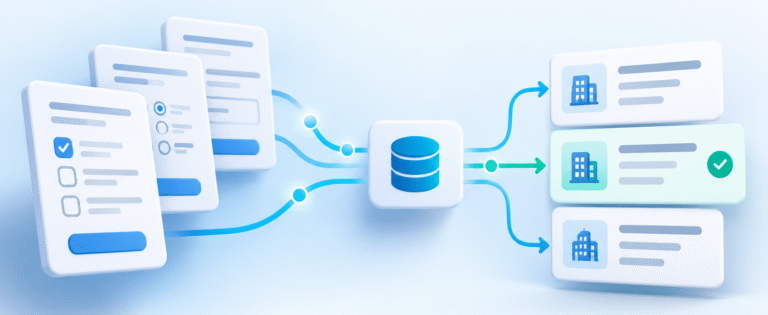
On the surface, that sounds like a simple reporting request. But before you can report on target account activity, you need to make sure HubSpot actually knows which companies are target accounts.
That means taking the existing target account list, matching it against Company records in HubSpot, and making sure the appropriate records are identified correctly.
This step matters more than you might think.
If your target account list lives in a spreadsheet that isn’t consistently maintained in your CRM, your reporting is already starting from an incomplete picture. You might have companies marked as strategic that no longer belong on the list, or important accounts that were never identified in the CRM at all.
Once the target accounts are properly identified, the reporting becomes much more useful.
Now you can start asking questions like: How many target accounts have we contacted this week? Which accounts haven’t had any activity recently? Are some sales reps consistently working their strategic accounts while others aren’t?
And perhaps most importantly, which of our highest-priority accounts are getting no attention at all?
I think that last question is particularly valuable.
Sales activity dashboards typically focus on how many calls, emails, and meetings reps are completing. Those are useful metrics, but they don’t necessarily tell you whether the activity is focused on the right companies.
A rep could be extremely busy and still not be spending time on the accounts that matter most to the business.
Activity volume and account coverage aren’t the same thing.
There’s also an important distinction between an account having activity and receiving meaningful engagement. An automated email or a logged task isn’t necessarily the same as a productive sales conversation.
That’s why I like reporting that makes it easy to identify accounts needing attention, rather than just counting activities.
The real opportunity is to turn your target account list into something your sales team can actively manage.
Instead of reviewing a spreadsheet every quarter, leadership can see which accounts are being worked, which are being neglected, and where the team should focus next.
Your CRM should do more than tell you how busy your sales team is.
It should help you understand whether they’re spending their time on the right opportunities.