
Salesforce Flow has become an incredibly powerful tool for automating business processes. Many things that previously required custom Apex code can now be handled with Flow, which makes it easier to build and maintain automation.
But there are situations where Flow isn’t the right tool for the entire job.
We’ve been working through one of those situations recently.
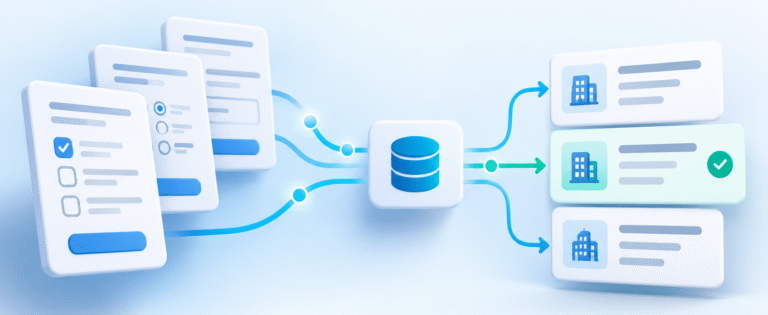
The client has a fairly complex organizational structure with parent Accounts, branches, and individual members. When membership status changes at the parent level, that change needs to be reflected across related records throughout the organization.
For smaller organizations, the automation works as expected.
But some organizations have hundreds or thousands of related records. When those larger organizations are processed, Salesforce can run into governor limits, causing the automation to fail.
Governor limits are Salesforce’s way of controlling how many resources a transaction can consume. They protect the platform, but they also mean developers need to be thoughtful about how they process large amounts of data.
In this particular situation, the automation involves Salesforce Flow calling Apex to update related records. That approach works well for most organizations, but when an Account has a large hierarchy of branches and related membership records, the amount of processing can exceed what Salesforce allows in a single transaction.
The natural reaction might be to optimize the Flow or Apex code until it can handle more records.
And sometimes that’s the right answer.
But there’s another approach worth considering: separating the records that can be processed immediately from those that need to be processed in batches.
That’s the direction we’re exploring.
For most organizations, the existing automation can continue to run when membership status changes. These updates are relatively small and can be processed immediately.
For unusually large organizations, we can identify those records and process them through scheduled Batch Apex instead.
Batch Apex allows Salesforce to divide a large workload into smaller transactions, each with its own set of governor limits. Instead of trying to update an entire organizational hierarchy at once, Salesforce can work through the records in manageable groups.
Of course, this introduces other considerations. You need to determine which records require batch processing, how frequently the job should run, how errors are handled, and how to prevent overlapping processes from updating the same records.
You also need to account for the fact that scheduled processing isn’t immediate. If the business needs a membership change reflected everywhere within seconds, a nightly batch job may not be appropriate.
But if the business can tolerate a delay for the largest organizations, this approach can make the overall process more reliable.
The important lesson is that not every record needs to be processed the same way.
Sometimes the best Salesforce architecture is a combination of tools. Flow handles the straightforward business automation, Apex handles more complex processing, and Batch Apex takes care of workloads that are too large for a single transaction.
The goal isn’t to eliminate Flow or move everything into code.
It’s to design automation that works reliably for both the smallest and largest records in your system.